切换 thinking effort
使用快捷键 Ctrl + T 可以在不同的思考等级(如 Low、Medium、High)之间快速循环切换。
Config
{
  "$schema": "https://opencode.ai/config.json",
  "permission": {
    "*": "allow",
    "bash": {
      "rm *": "ask",
      "rm -rf *": "deny",
      "git push --force*": "deny",
      "git reset --hard*": "ask",
      "git clean *": "ask",
      "chmod *": "ask",
      "sudo *": "deny",
      "*": "allow"
    },
    "external_directory": "allow"
  },
  "plugin": ["superpowers@git+https://github.com/obra/superpowers.git"]
}
自定义 command
https://opencode.ai/docs/commands/
Create .opencode/commands/test.md:
---
description: Run tests with coverage
agent: build
model: anthropic/claude-3-5-sonnet-20241022
---

Run the full test suite with coverage report and show any failures.
Focus on the failing tests and suggest fixes.
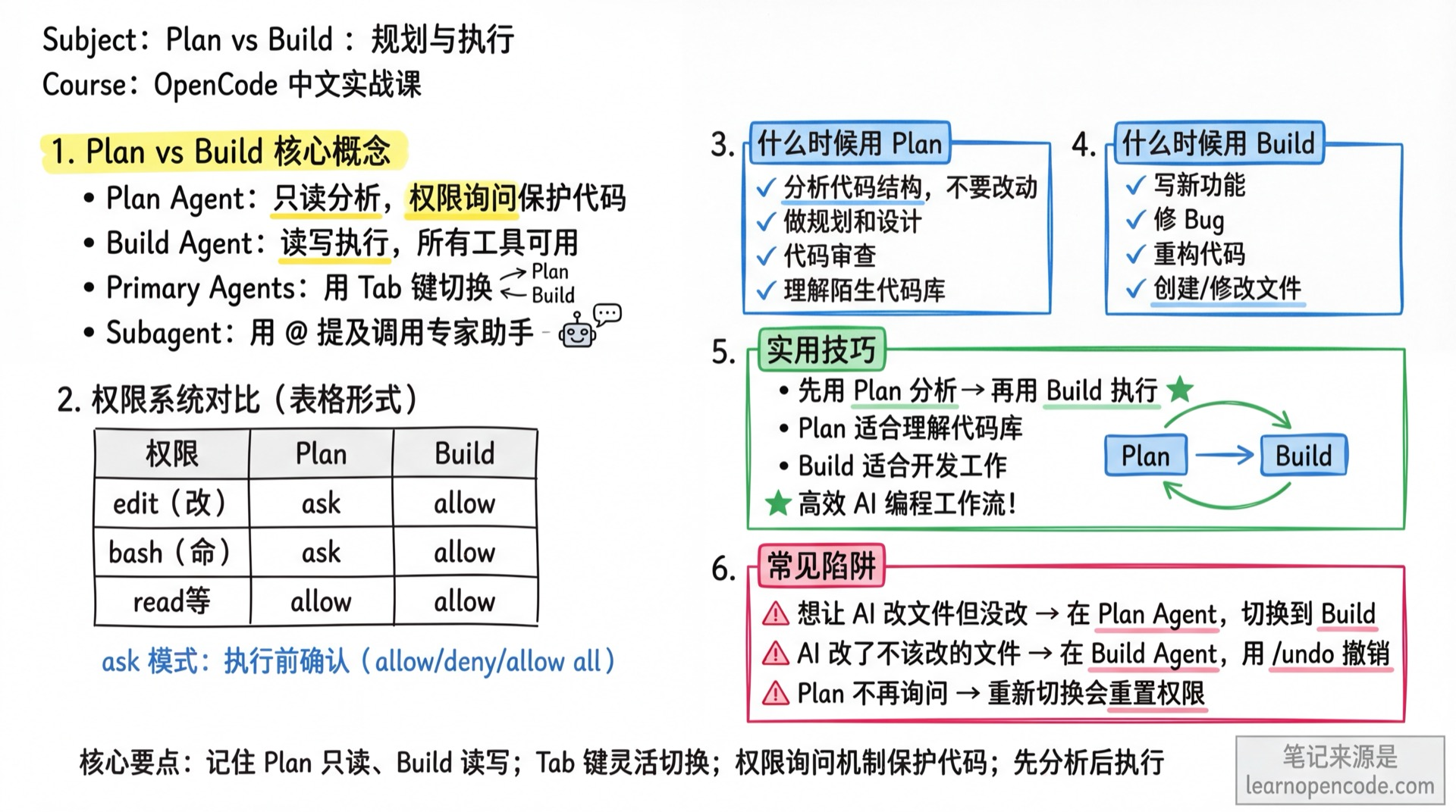
Plan vs Build
Plan mode:
- 分析代码结构,但不要改动
- 让 AI 做规划和设计
- 代码审查
- 理解陌生代码库
Build mode:
- 让 AI 写新功能
- 让 AI 修 Bug
- 让 AI 重构代码
- 让 AI 创建/修改文件