Even if LLMs continue to get exponentially more powerful, there will be core engineering techniques that make LLM-powered software more reliable, more scalable, and easier to maintain.
- How We Got Here: A Brief History of Software
- Factor 1: Natural Language to Tool Calls
- Factor 2: Own your prompts
- Factor 3: Own your context window
- Factor 4: Tools are just structured outputs
- Factor 5: Unify execution state and business state
- Factor 6: Launch/Pause/Resume with simple APIs
- Factor 7: Contact humans with tool calls
- Factor 8: Own your control flow
- Factor 9: Compact Errors into Context Window
- Factor 10: Small, Focused Agents
- Factor 11: Trigger from anywhere, meet users where they are
- Factor 12: Make your agent a stateless reducer
own your prompts
==LLM 决定“做什么”,而你的代码控制“如何做”。
function DetermineNextStep(thread: string) -> DoneForNow | ListGitTags | DeployBackend | DeployFrontend | RequestMoreInformation {
  prompt #"
    {{ _.role("system") }}

    You are a helpful assistant that manages deployments for frontend and backend systems.
    You work diligently to ensure safe and successful deployments by following best practices
    and proper deployment procedures.

    Before deploying any system, you should check:
    - The deployment environment (staging vs production)
    - The correct tag/version to deploy
    - The current system status

    You can use tools like deploy_backend, deploy_frontend, and check_deployment_status
    to manage deployments. For sensitive deployments, use request_approval to get
    human verification.

    Always think about what to do first, like:
    - Check current deployment status
    - Verify the deployment tag exists
    - Request approval if needed
    - Deploy to staging before production
    - Monitor deployment progress

    {{ _.role("user") }}

    {{ thread }}

    What should the next step be?
  "#
}
own your context window
Creating great context means:
- The prompt and instructions you give to the model
- Any documents or external data you retrieve (e.g. RAG)
- Any past state, tool calls, results, or other history
- Any past messages or events from related but separate histories/conversations (Memory)
- Instructions about what sorts of structured data to output
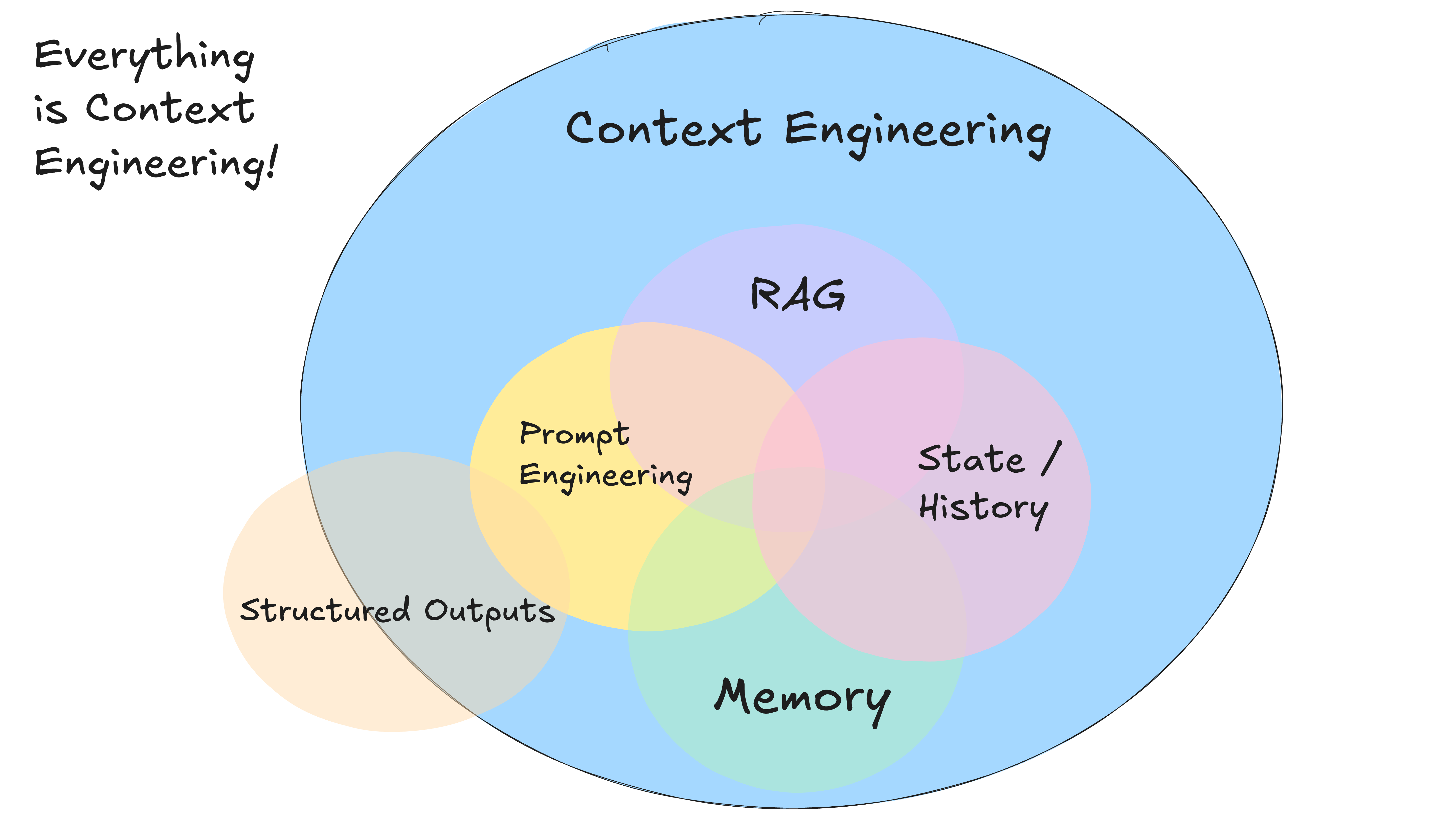
As an alternative to the standard message-based format, you can build your own context format that’s optimized for your use case. For example, you can use custom objects and pack/spread them into one or more user, system, assistant, or tool messages as makes sense.
Here’s an example of putting the whole context window into a single user message:
[
  {
    "role": "system",
    "content": "You are a helpful assistant..."
  },
  {
    "role": "user",
    "content": |
            Here's everything that happened so far:

        <slack_message>
            From: @alex
            Channel: #deployments
            Text: Can you deploy the backend?
        </slack_message>

        <list_git_tags>
            intent: "list_git_tags"
        </list_git_tags>

        <list_git_tags_result>
            tags:
              - name: "v1.2.3"
                commit: "abc123"
                date: "2024-03-15T10:00:00Z"
              - name: "v1.2.2"
                commit: "def456"
                date: "2024-03-14T15:30:00Z"
              - name: "v1.2.1"
                commit: "ghi789"
                date: "2024-03-13T09:15:00Z"
        </list_git_tags_result>

        what's the next step?
    }
]